HomeCoursesPC Hardware & Networking
Technology

PC Hardware &
Networking

Build, configure, and troubleshoot computers and networks from the ground up. Hands-on training with real hardware — the practical IT skills that businesses across Kuwait hire for immediately.
1–2 Months1–2 Months
Flexible Schedule
ICSA Certificate
Ask a Question
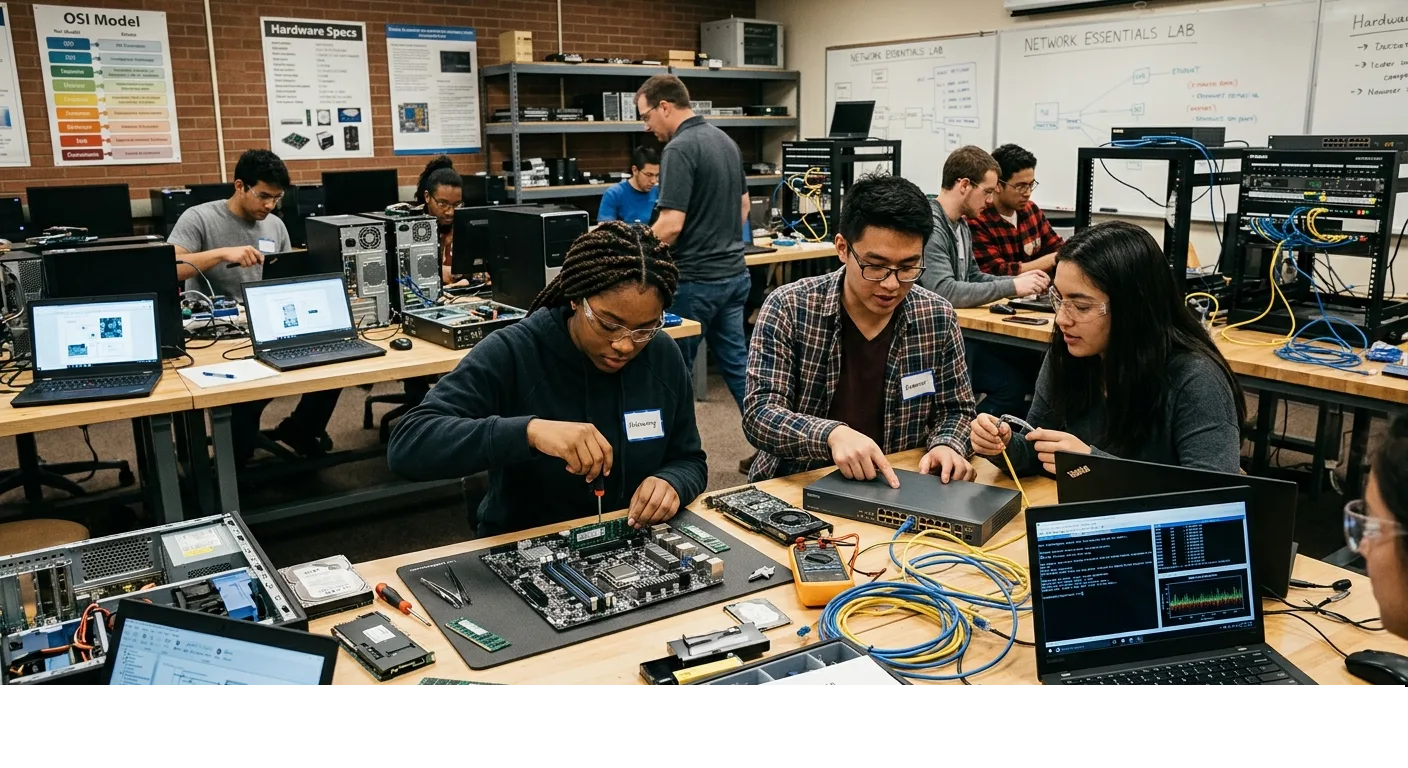
PC Hardware repair and Netowrking students ICSA
25K+
ICSA Graduates
2–4
Months
100%
Hands-On Labs

Get Certified

Receive an official ICSA certificate upon completion — recognised by employers across Kuwait and the wider Gulf.

Flexible Schedule

Morning, afternoon, and evening classes available — six days a week. Study at the pace that fits your life.

Expert Teachers

Learn from professionals who've worked in real office environments — everything they teach is directly applicable.

Student First Rule

Every decision we make starts with one question: does this help our students succeed? You're never alone here.

About This Course

PC Hardware & Networking at ICSA

Every organisation in Kuwait runs on computers and networks — and when something breaks, they need someone who can fix it. This course gives you the hands-on technical skills to build, configure, maintain, and troubleshoot the IT infrastructure that businesses depend on every day.

ICSA's labs are stocked with real PC components, networking hardware, cabling tools, routers, and switches. Every session is practical — you assemble real computers, terminate real cables, and configure real networks. You leave knowing how to do the job, not just talk about it.

What You'll Learn

Skills You'll Walk Away With

PC components: CPU, RAM, motherboard, GPU, storage
Assembling a full PC from scratch in the lab
BIOS/UEFI configuration & OS installation
Hardware troubleshooting & fault diagnosis
Network cabling: UTP termination & cable testing
IP addressing, subnetting & TCP/IP fundamentals
Router & switch configuration basics
Wireless networking setup & security
Course Outline

Program Structure

01
Module 1: PC Hardware Fundamentals
Weeks 1–3
  • Inside a computer: identifying every component and its role
  • Motherboards, CPUs, RAM, power supplies, and cooling systems
  • Storage: HDD vs SSD, NVMe, SATA — differences and when to use each
  • Lab session: full PC disassembly and reassembly from scratch
02
Module 2: Operating Systems & Configuration
Weeks 4–5
  • Installing Windows 10 and Windows 11 from scratch
  • Drivers, device manager, and software setup post-installation
  • User accounts, permissions, and system administration basics
  • System performance tools: Task Manager, Resource Monitor, Disk Cleanup
03
Module 3: Hardware Troubleshooting
Weeks 6–7
  • Systematic fault diagnosis: identifying hardware vs software failures
  • POST beep codes, error messages, and blue screen analysis
  • Component testing: RAM, GPU, storage, and power supply checks
  • Data backup, recovery tools, and safe hardware disposal
04
Module 4: Network Fundamentals
Weeks 8–11
  • Network types: LAN, WAN, MAN, and wireless explained
  • Network devices: routers, switches, hubs, access points, and firewalls
  • IP addressing: IPv4, subnetting, and DHCP vs static assignment
  • Network cabling: UTP, Cat5e, Cat6 — termination and testing in the lab
05
Module 5: Network Configuration & Security
Weeks 12–16
  • Router setup and configuration: SSID, passwords, port forwarding
  • Switch VLANs and basic managed switch configuration
  • Wireless network setup, WPA2/WPA3 security, and guest networks
  • Network troubleshooting: ping, traceroute, ipconfig, and common fixes
Who Should Enrol

Is This Course Right For You?

This course is for anyone who is drawn to technology and wants a practical, hands-on career in IT — where there is always work, always demand, and always something to learn.

Tech enthusiasts who love working with hardware
Those targeting IT support & helpdesk roles
Students entering the technology & systems field
Anyone who wants to understand how computers & networks actually work
Got Questions?

Frequently Asked Questions

Do we work with real hardware or just simulations?
Real hardware — always. ICSA's labs are equipped with actual PC components, networking equipment, cabling tools, patch panels, routers, and switches. Every practical session involves working with real equipment, not software simulations. You leave knowing how to physically do the job.
Is this course good preparation for CompTIA A+ certification?
Yes. The course content closely aligns with CompTIA A+ objectives, covering hardware, operating systems, networking, and troubleshooting. While ICSA does not directly administer the CompTIA exam, this course provides an excellent foundation and we can advise you on registering for the official CompTIA A+ exam afterward.
What IT jobs can I get after this course?
Common roles our graduates secure include: IT Support Technician, Helpdesk Engineer, Systems Administrator, Network Technician, and Field Service Engineer. These roles exist in every sector across Kuwait — from hospitals and banks to construction companies and government departments.
Do I need a maths or science background?
No. Basic numeracy is helpful for IP addressing and subnetting, but no advanced maths is required. We explain every concept from first principles and use practical exercises to make subnetting intuitive rather than intimidating.
Is networking included in the course fee, or is it separate?
Both PC hardware and networking are fully included in this single course under one fee. You do not need to enrol separately for either topic — they are designed as a complete, integrated program.
What certificate do I receive?
You receive an official ICSA Certificate in PC Hardware and Networking upon successful completion. A minimum 75% attendance and passing the final practical lab assessment are required.

Ready to Get Your Hands on Real Hardware?

Join ICSA and build IT skills in a real hands-on lab environment. The first consultation is completely free.

Contact Us